 KI-Anonymisierer
Server & client · for teams, SMEs and public authorities
One detection service for every workstation.
KI-Anonymisierer Server provides rules and model-based detection centrally, as a self-hosted Docker service. The Windows client, the Chrome extension and your own applications use it through a shared API.
- Docker
- Rules + GLiNER
- HTTP API
- Self-hosted

How client and server work together.
Run the server
Start the Docker service in your network, choose detection modules and maintain custom terms.
Connect clients
Enter server address and access key in the Windows client. The key is stored encrypted with Windows DPAPI.
Copy and consent
By default, the client asks before copied text is sent to the server.
Confirm and replace
The client shows the number of matches. Only your confirmation replaces them with placeholders.
What server and client bring
Self-hosted
A Docker service in your infrastructure, not in someone else’s cloud.
Rules plus GLiNER
Rule-based detection, optionally extended by a specialized model, without a chatbot interface.
Maintained centrally
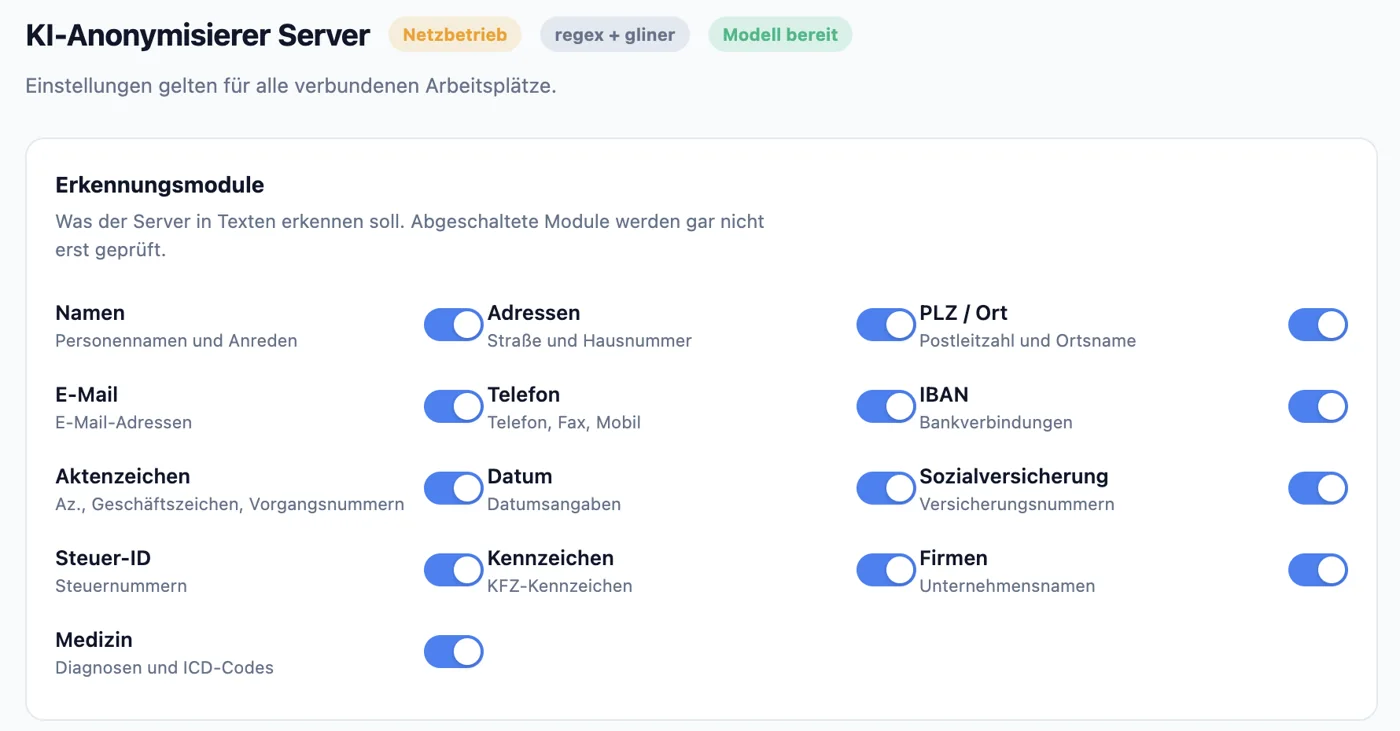
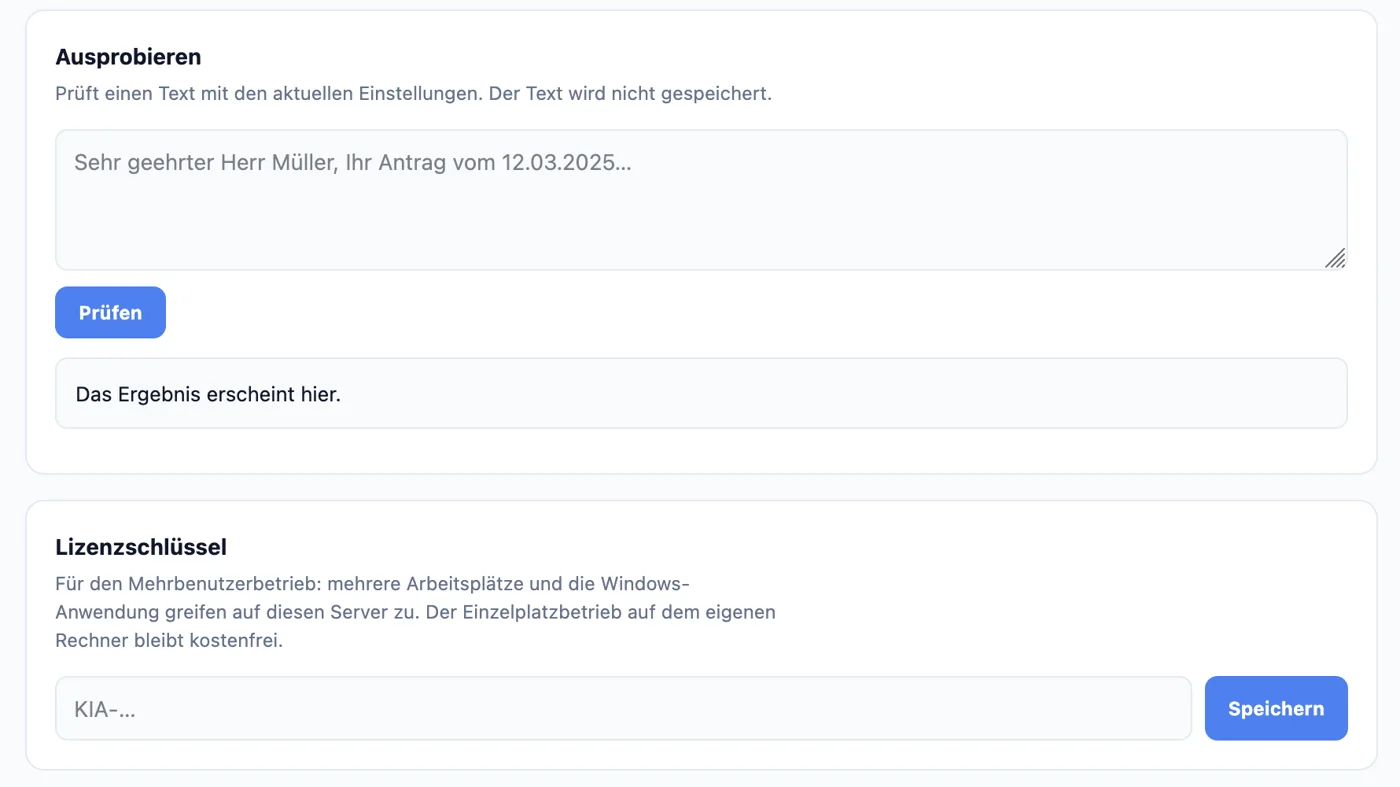
Detection modules and custom terms in a browser interface, including test texts.
Open API
Returns matches with category and position, for the Windows client, Chrome and your own integrations.
Windows Client, free
Tray app without its own AI models, asks before sending and replacing, optional Safeguard. Free on the Microsoft Store.
No models per PC
Models are installed once on the server instead of on every workstation.
The server interface
Detection modules, custom terms, a test field and the license key, centrally for all connected workstations.
The Windows Client
The tray app for the workstation. It needs no AI models of its own, detection runs on your server.
Get it free on the Microsoft Store
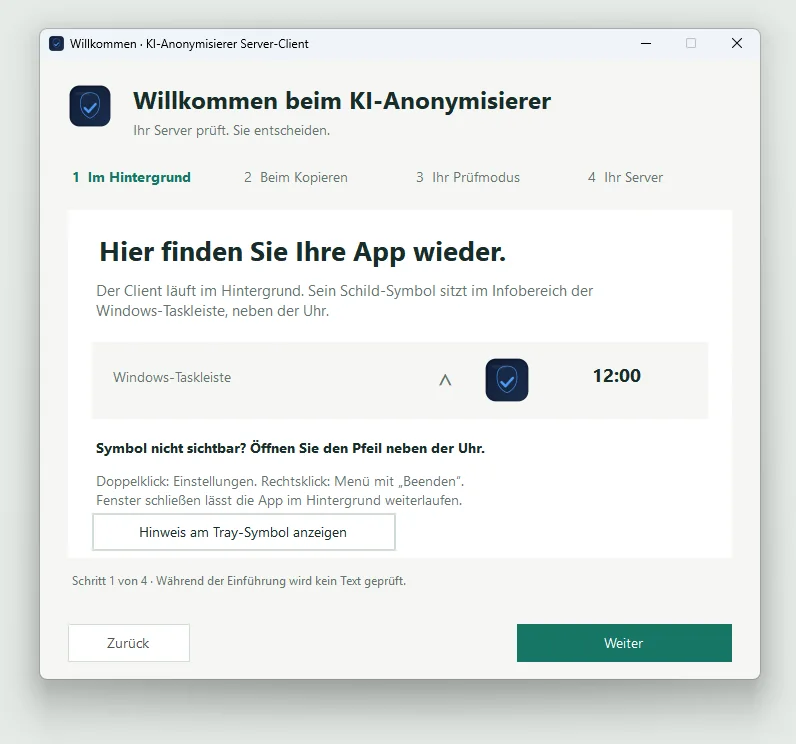
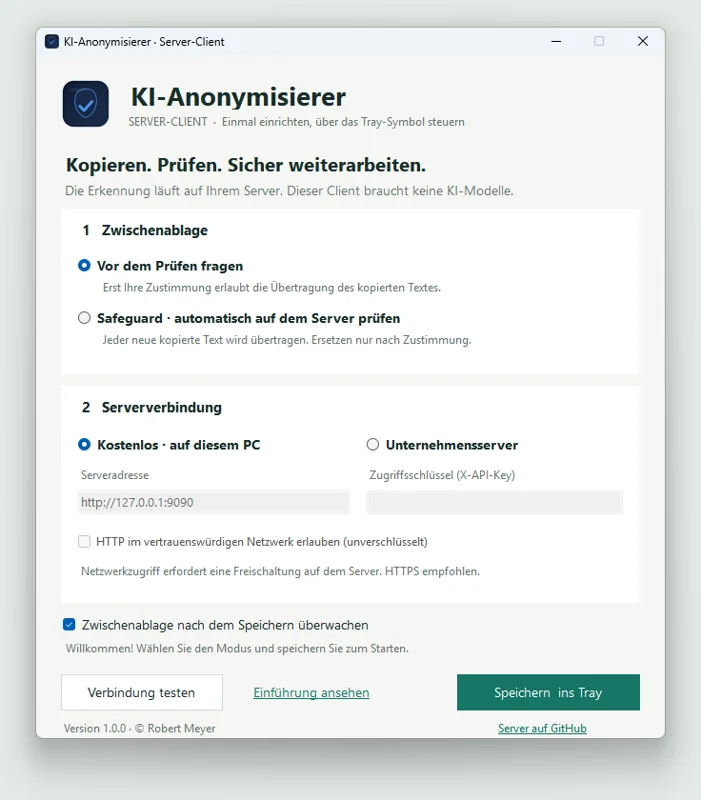
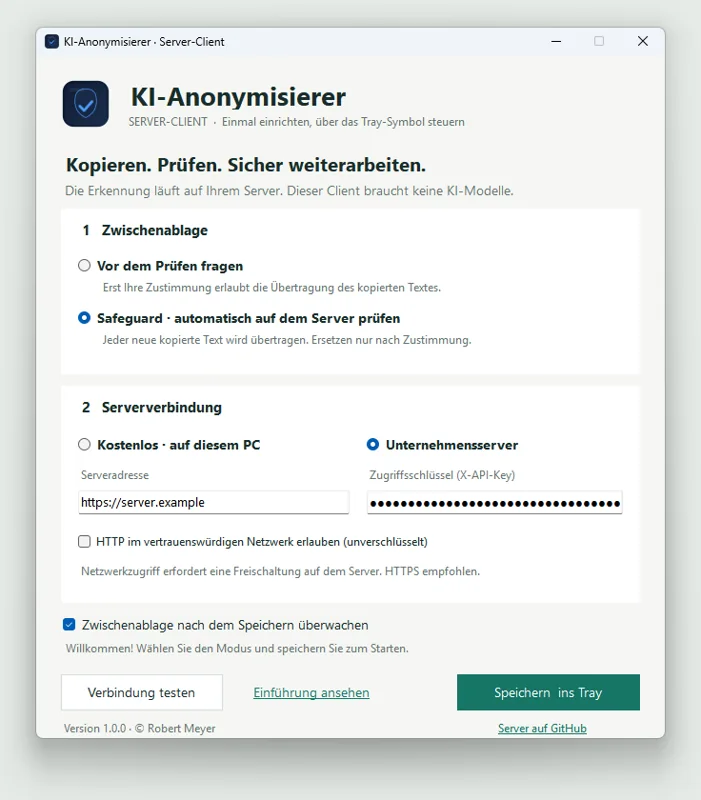
- By default, asks before copied text is sent to the server
- Optional Safeguard: new copies are checked automatically, replacing still requires consent
- Free on the same PC or with your company server
- Access key protected with Windows DPAPI, builds for x64 and ARM64
Transparency on data processing
In server mode, the original text is sent to your configured server for analysis. According to the server documentation, no plain text is stored there. Operating logs, upstream components and a correctly configured HTTPS connection must be considered in your own operation. The client currently processes text and does not offer restoration.
Frequently asked questions
Can I test the server first?
Yes, free for 30 days. With test access, you check detection on your own sample texts without installation, via the Chrome extension and our test server. Please use made-up data only: there is no data processing agreement for test access.
Do 200 workstations need 200 AI installations?
No. With the server, detection is provided centrally. The required size depends on text volume, response times and concurrent requests.
Does the API return fully anonymized text?
No. The API returns matches with category and position. The connected client creates the placeholders.
What does the server cost?
Local single-seat use is free. For network and multi-user operation, licenses are based on the number of users, for example €990 per year for 25 users. Other tiers and perpetual licenses on request. The server EULA applies.
Does the client install Docker or the server?
No. A running KI-Anonymisierer Server is required, locally on the same PC or in the network.
We set up the pilot together.
Other workplaces