 KI-Anonymisierer
macOS app · where the product family began
Anonymize with a shortcut. Right on your Mac.
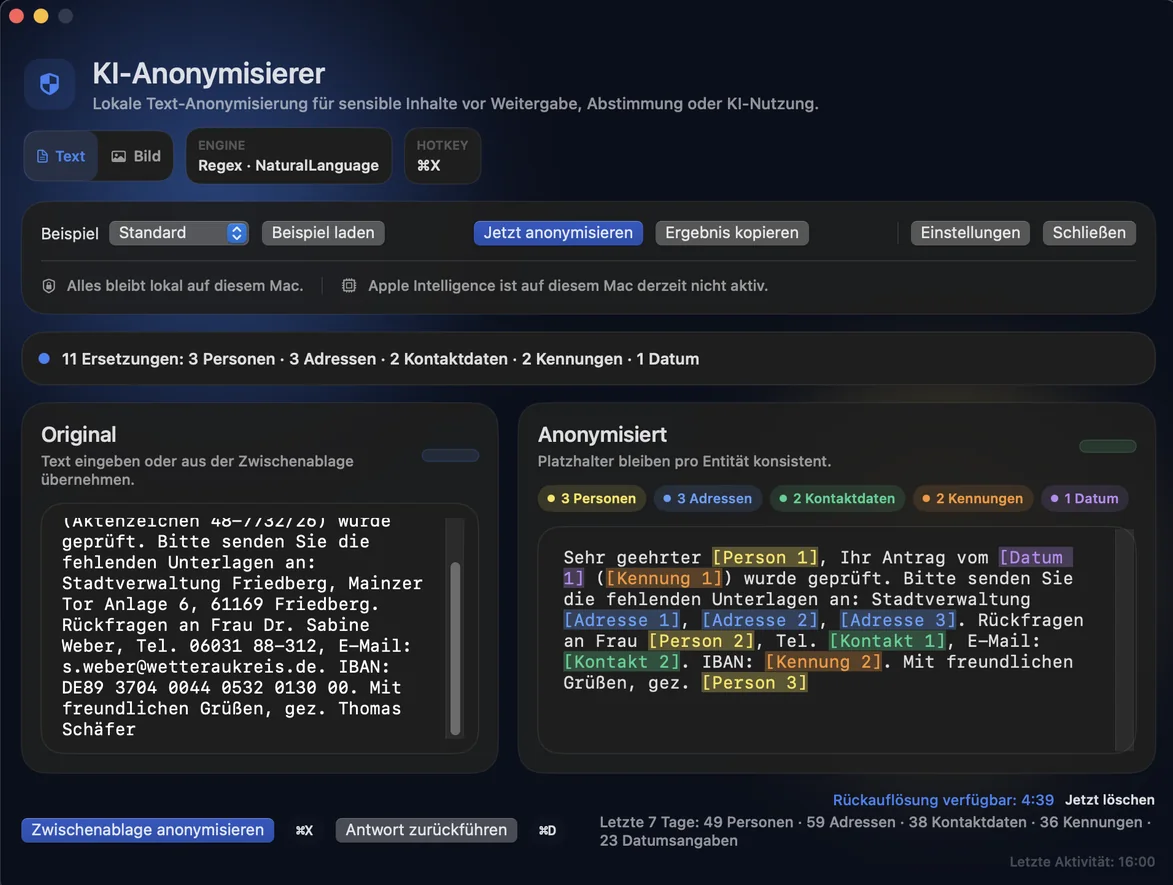
KI-Anonymisierer steps in exactly when sensitive content is about to move into AI chatbots, emails or documents via copy and paste. One shortcut replaces names, addresses and identifiers locally with placeholders, a second one brings them back after the AI reply.
- macOS 14.0 or later
- Menu bar app
- Text and images
- No account
Four moves. No change to your process.
- ⌘C
Copy text
Select the sensitive passage and copy it as usual, from mail, documents, the browser or notes.
- ⌘⇧A
Press the shortcut
The clipboard content is anonymized locally on your Mac. No cloud, no account.
- ⌘V
Paste and review
Paste the anonymized version. For longer texts, the editor stays the calm review view.
- ⌘⇧D
Restore real names
After the AI reply, a second shortcut puts the real names back locally. The mapping lives in memory only and is deleted after five minutes at most.
What the Mac app detects and does
People
Names and typical name contexts, with stable placeholders for readable results.
Addresses
Streets, house numbers, postcodes and places as one connected structure.
Contact details
Email, phone and fax in typical German formats.
Identifiers
IBAN, case numbers, social security numbers and similar patterns.
Images and screenshots
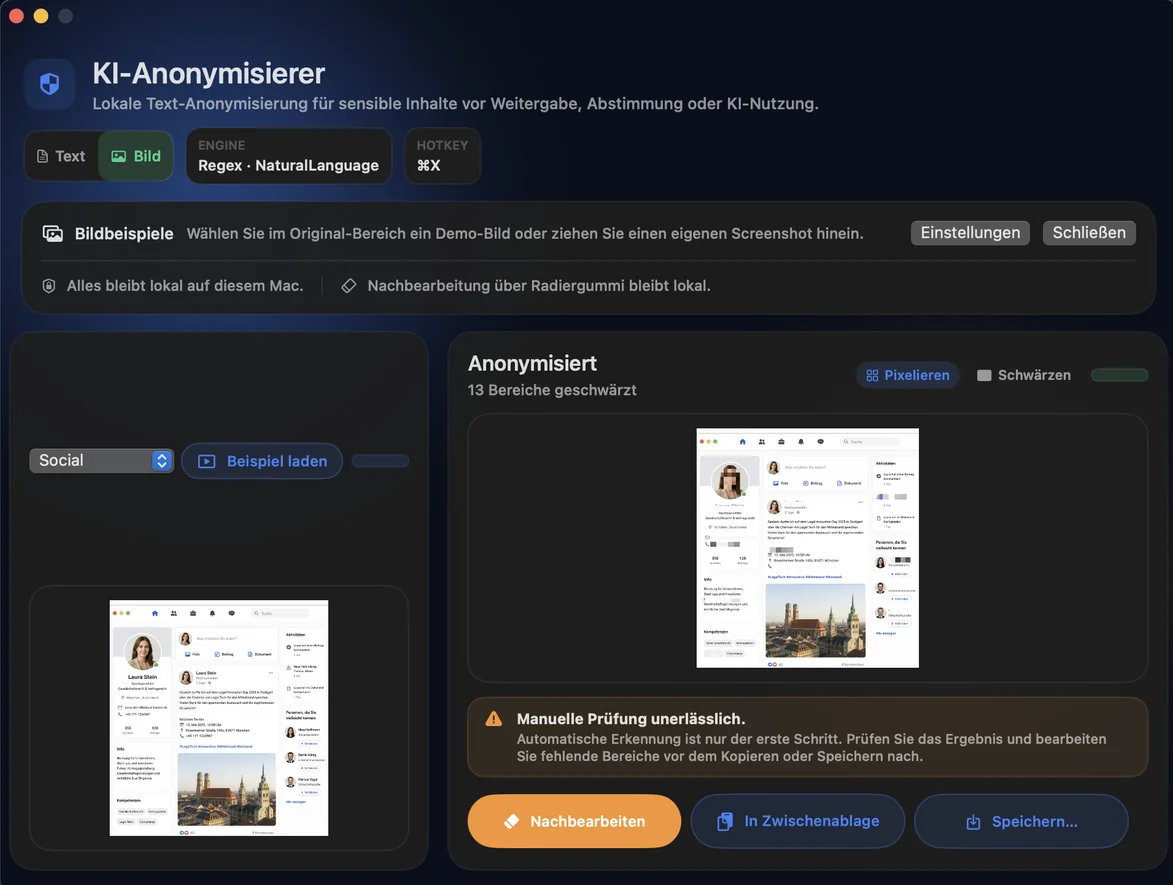
Detect OCR text, faces and barcodes, then blur or black out missing areas by hand.
Three local layers
Regex, Apple NaturalLanguage and optional Apple Intelligence, plus your own rules and exclusions.
The real app
Support, not the final word
Rule-based detection can be incomplete in individual cases. Apple language recognition and optional Apple Intelligence only add to it. Always review before sharing or publishing.
Frequently asked questions
Does anonymization run locally?
Yes. Detection and replacement run on your Mac, without cloud upload and without an account.
Do I need Apple Intelligence?
No. The app works fully without it. If Apple Intelligence is available, it adds an extra layer for people and places.
How does restoration work?
When enabled, the app keeps the mapping of the last session in memory only. A second shortcut replaces the placeholders in the AI reply with the real details. The mapping is deleted after five minutes at most.
Are team licenses available?
Yes. Outside the App Store, the app is available directly, including team licenses. Contact us via the form.
Are the iPhone or Windows apps included?
No. Mac, iPhone/iPad and Windows are separate apps with separate purchases.
Buy once and get started.
Other workplaces