 KI-Anonymisierer
Excel anonymizer · for payroll, client and case lists
The payroll list may go to AI. The names may not.
Spreadsheets are what people most like to give an AI, and what it should see least. KI-Anonymisierer Excel turns your payroll list into a file that may leave the building. On your computer, without cloud.
- .xlsx and .xlsm
- Local in Docker
- PDF log
- Way back with key file
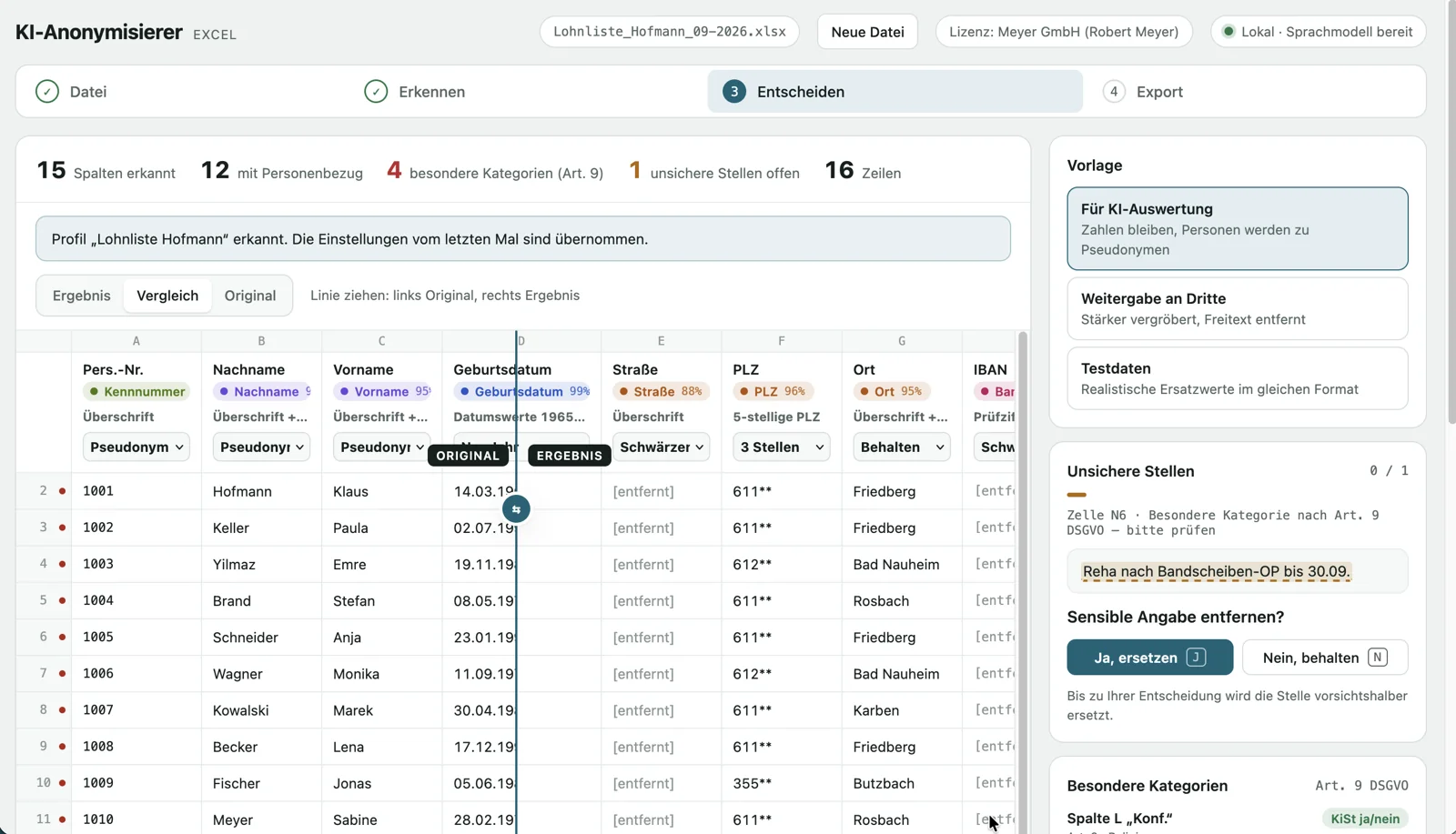
Excel file in, safe file out.
Drop the file
The Excel file stays on your computer. The original is never changed.
Detect
Every column gets a label: name, address, IBAN, date of birth, tax ID, religion, free text.
Decide
One method per column. Only genuine doubts are asked, original on the left, result on the right.
Save
A new file, a PDF log and, if you like, an encrypted key file to translate back.
More than deleting names
Check digit, not heading
A valid IBAN is an IBAN, whatever the column is called. The same goes for tax IDs, plus social security numbers, dates of birth, email and phone.
The “remarks” column
Free text is checked word by word, with rules, a local language model and the names from the table itself. Health data is removed.
Method per column
Pseudonym, generalize, redact, substitute data or keep. Templates for AI analysis, sharing with third parties and test data.
Re-identifiability
A traffic light shows who remains recognizable despite anonymization, such as the only branch manager born in 1968, and suggests what helps.
Beyond the cells
Hidden sheets, comments, headers and footers, pivot caches, author properties and the file name.
Log, way back, profiles
PDF proof without cell contents, translation back with key file and password, saved settings for next month’s list.
The real application (German interface)
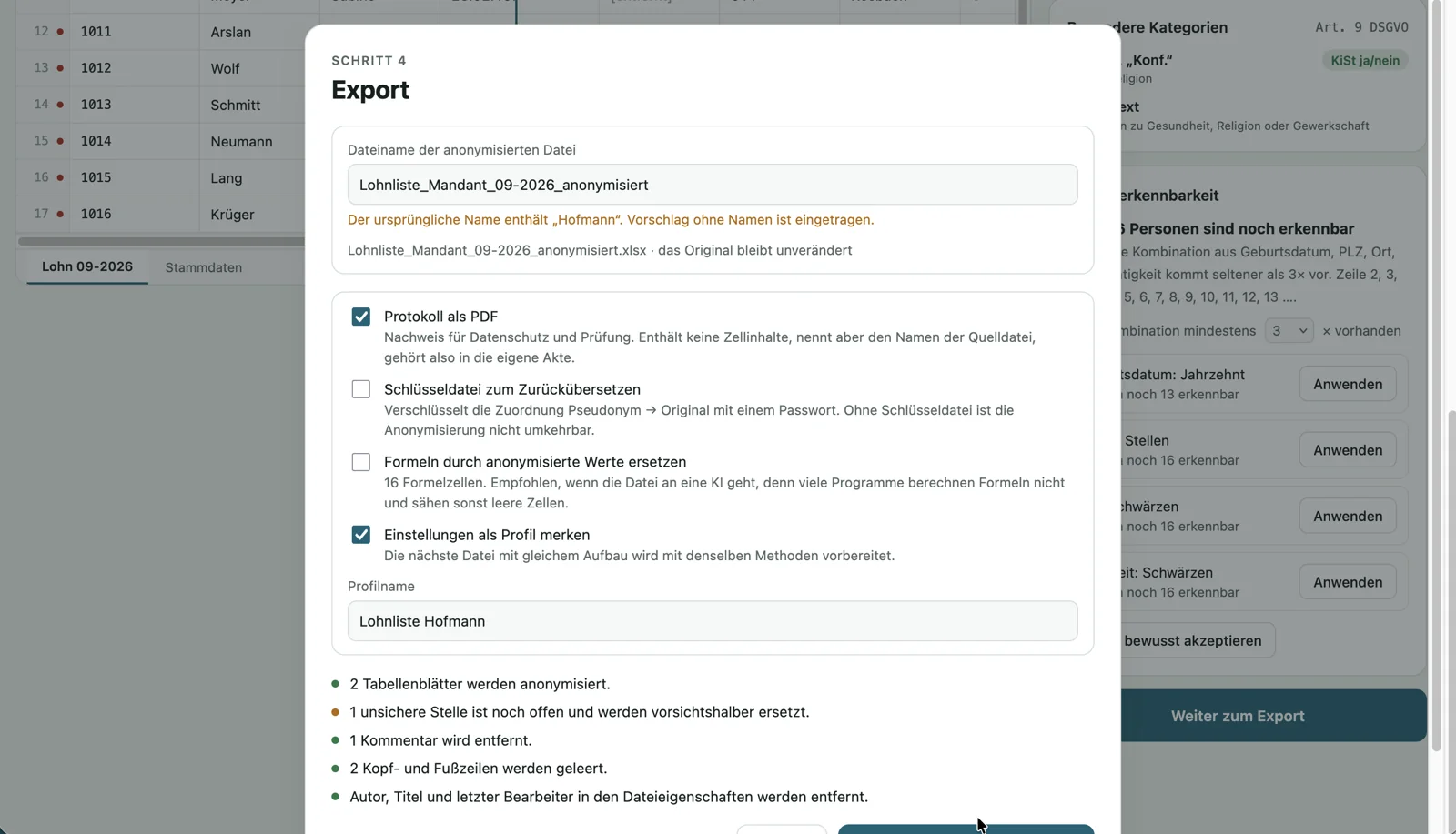
Good to know
Supports .xlsx and .xlsm; please save CSV and old .xls files as .xlsx in Excel first. Charts and images are not carried over, the interface points this out. Pseudonymized data remains personal data as long as a key file exists. Detection is thorough but does not replace a careful look at the column labels.
Frequently asked questions
Does my data leave the computer?
No. The application runs as a Docker container on your computer, the language model is included and it works without a network. Files are kept in memory only, the port is bound to 127.0.0.1.
What do I need to install it?
Docker; on Windows and macOS, Docker Desktop with 4 GB of memory. One command sets everything up, then the interface runs at http://localhost:9999.
How do I test it?
7 days free with full functionality. You get the trial key by email on request. Settings and profiles from the trial are kept when you buy.
What does the license cost?
One-time €99 per workstation. The license is perpetual and issued to your organization. The key is checked locally, without online activation.
Who is it for?
Tax advisors and payroll offices, HR departments, public authorities, medical practices and care services, associations.
The AI sees pseudonyms. You see your clients.
Other workplaces